
A building project produces drawings, decisions, equipment information and changes. When those pieces of information become disconnected, people can work from different assumptions without realizing it. Understanding what BIM is helps a client ask for something more useful than an attractive three-dimensional picture: an agreed way to develop, share and use project information.
This guide explains the concept in plain language, with a focus on electrical and building-system coordination. The examples are hypothetical and are not descriptions of PYCEM projects. They are intended to help property owners, project managers and construction teams frame a more productive conversation about the work they need.
What is BIM and what information does it contain?
BIM stands for Building Information Modeling. It concerns the creation and management of information about a built asset, supported by digital models and coordinated processes. The model is an important tool, but the wider activity also involves people, responsibilities and agreed information exchanges. Autodesk’s introduction to BIM provides a useful overview of that broader concept.
A modeled element can represent more than a shape. Depending on the project requirements, it may carry an identifier, a classification or other agreed properties. The important phrase is “depending on the requirements.” A model does not automatically contain every detail that an owner, installer or operator might want. Those needs must be defined and the information must be developed and checked for its intended use.
For a client, a useful question is therefore: what decision should this information support? A model used to discuss a proposed layout has a different purpose from information prepared for a detailed coordination review. Asking for the maximum amount of information without describing its use can create work that adds little practical value.
BIM, CAD and a 3D model
CAD is commonly used to produce drawings and geometric representations. A three-dimensional model can communicate spatial form. BIM brings model information into a broader process of development, exchange and use. These categories can overlap in a project; the distinction is about purpose and information management, not a rule that one tool makes all others obsolete.
| Resource | Useful question it can support | What to clarify |
|---|---|---|
| A drawing | Where is an element shown, and what does the drawing communicate? | Scale, revision, purpose and related documents |
| A 3D view | How do elements relate spatially? | Which elements are represented and which are omitted |
| A BIM deliverable | What information is available for an agreed project use? | Content, responsibilities, review status and exchange requirements |
Consider a hypothetical equipment room. A picture might show several cabinets in a convincing arrangement. A coordination model might help examine their relationship to other modeled systems. Neither representation automatically confirms that every dimension has been checked on site or that every maintenance requirement has been resolved. The team needs to know the intended use and the information behind the representation.
Information exchange is another part of the picture. buildingSMART’s openBIM overview describes an approach based on open standards and services for collaboration across platforms. One of those standards is IFC, used to exchange structured information about built assets. The IFC scope documentation explains its coverage. A shared format helps establish an exchange method; the team must still verify that the information needed for its task survives the exchange appropriately.
How BIM supports electrical coordination
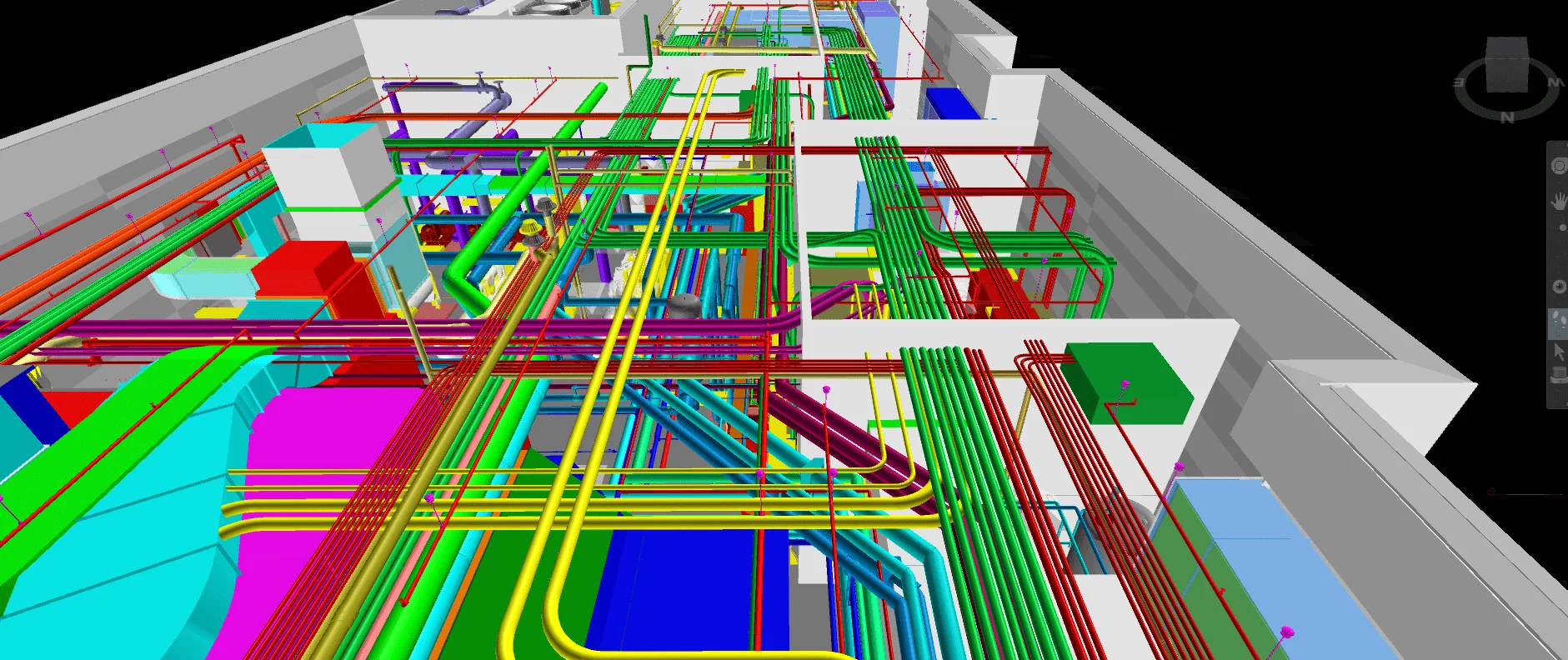
Electrical installations occupy real space and interact with the rest of a building. A project team may need to discuss routes, equipment locations or interfaces with architecture and other systems. A coordinated representation can make these relationships easier to review together. It gives the conversation a common visual context rather than leaving each participant to imagine how separate documents fit.
The benefit depends on the information being suitable for the question. If an important element is missing, the view cannot reveal its relationship to anything else. If a model is based on an old revision, a convincing image can still describe an outdated arrangement. Coordination therefore includes checking what is being reviewed, not simply opening the latest file received by email.
Coordination and clash detection
Clash detection identifies certain geometric intersections between modeled elements. Autodesk’s model-coordination documentation explains how software can analyze supported models and present clashes for review. The detected items still need interpretation. Some require action; others may reflect an intentional relationship or modeling convention.
A productive issue record should help someone make a decision. It can identify a location, the affected elements, the concern and the requested response. BuildingSMART’s BIM Collaboration Format supports the exchange of model-related issues between applications. The format supports communication; it does not decide how a design problem should be solved.
Imagine a hypothetical office renovation. The electrical layout and another building-system model show elements occupying the same area above a corridor. The team first checks that the files refer to the same location and appropriate revisions. It then reviews the observation, identifies who must respond and considers the implications of alternatives. A revised proposal is reviewed before the issue is closed. The useful result is a documented decision reflected in the project information, not simply a lower number on a clash counter.
This example also shows why a model cannot guarantee a conflict-free installation. The review is limited by the elements included, their development, the checking method and the decisions made. Site conditions and later changes can introduce new questions. The model supports a process; it does not replace responsibility for the work.
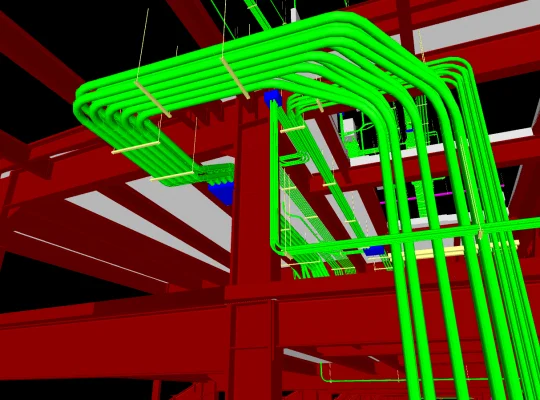
Drafting and detailing address related needs. A drawing assignment organizes information for a particular audience. A detailing task develops selected parts more closely. Prefabrication support introduces another intended use, which may require a different level of certainty about dimensions, interfaces and approvals. A team should agree on these distinctions instead of assuming that any BIM model is ready for every downstream activity.
For the hypothetical renovation, an image may be sufficient for an early discussion about options. It would not be reasonable to hand that image to a fabricator and assume it contains all the information needed to proceed. The next use requires its own agreed information and review. Recognizing that transition is one of the most practical ways a client can improve a BIM brief.
What to define before commissioning BIM services
Begin with the outcome. Describe the decision, task or handover that the work should support. Then identify the part of the project involved and the information already available. This turns a broad request for BIM into something that can be discussed, estimated and reviewed. The National Institute of Building Sciences’ BIM execution planning standard treats planning as a way to define a project’s implementation strategy and information requirements.
A client does not need to write a complete technical standard to start a conversation. However, several practical points should be discussed before production: scope, input documents, intended users, exchanges, responsibilities and review. Put those points in writing so that later decisions can be compared with the original agreement.
Scope and level of information
Avoid treating “more detailed” as a complete requirement. Specify which elements need attention and why. An early coordination review may need enough information to understand spatial relationships. A later task may need additional properties or more developed details. The appropriate content depends on the purpose, not on how impressive the model looks on screen.
The same applies to existing conditions. Identify what has been measured, what comes from available drawings and what remains assumed. A highly polished model should not conceal uncertainty. If a condition needs confirmation before a decision can be made, record that need clearly and assign responsibility for obtaining the information.
A practical commissioning checklist can include the following:
- State the intended use of each model, drawing or information set.
- Identify the areas and disciplines included, together with clear exclusions.
- List source documents, their revisions and known limitations.
- Agree who supplies missing information and who reviews the output.
- Specify file formats and test important exchanges early.
- Define how comments, changes and unresolved issues will be recorded.
- Agree the conditions for handover and the treatment of later updates.
For example, a client might need a coordination review of one floor rather than a complete model of the property. The brief could identify the floor, the supplied documents, the participating disciplines and the review meeting that the work must support. It could also state that unknown existing conditions remain subject to confirmation. This is more useful than asking for a “complete BIM model” without explaining what complete means.
Does BIM eliminate construction errors? No. It can help teams inspect information and resolve some questions earlier, but it cannot compensate for every omission, incorrect input or change. The quality of the process matters as much as the tool.
Does everyone have to use the same application? That depends on the project’s exchange strategy. Open standards can support communication across tools, but compatibility and information requirements should be checked rather than assumed. An agreed format alone does not guarantee an error-free exchange.
Is a model automatically a record of what was built? No. A record of completed conditions requires an agreed process for collecting, updating and checking the relevant information. A design model should not be relabeled as a verified record without that work.
How should proposals be compared? Compare the stated scope and intended output, not just the word BIM or a rendering. Look for differences in coverage, source information, review rounds, exchange formats and assumptions. Two proposals can use the same label while describing substantially different work.
A useful first inquiry can be simple: explain the project, the information you have and the decision you need to make. PYCEM’s BIM service covers discussions about drafting, detailing, coordination and prefabrication support. The purpose of the conversation is to agree on information that will be useful to your project, with a clear understanding of what it does and does not represent.